The AI budget line that no longer has a fixed price
For most organisations, Microsoft 365 Copilot has been simpler to budget: a number of seats at a known monthly price. That is changing.
Microsoft now splits Copilot into two layers. The seat covers everyday AI: chat, Copilot in the Office apps, the built-in agents. Anything more agentic, such as Copilot Cowork, Code, Autopilot, custom agents and the newest frontier models, draws on Copilot Credits, billed by usage at $0.01 each.
That sounds small until you look at how credits are spent. A routine Cowork task can use 70 to 200 credits. A heavy analysis task can use 1,500 or more. Multiply that by hundreds of people, add agents built in Copilot Studio or Microsoft Foundry, or using WorkIQ, and the variable part of the bill can quickly outgrow the seats.
The controls exist: spending policies, caps, alerts and pre-purchase options. But controls need a number to set them against. Most finance and procurement teams I speak to don't have one yet.
What the AI Spend Estimator does
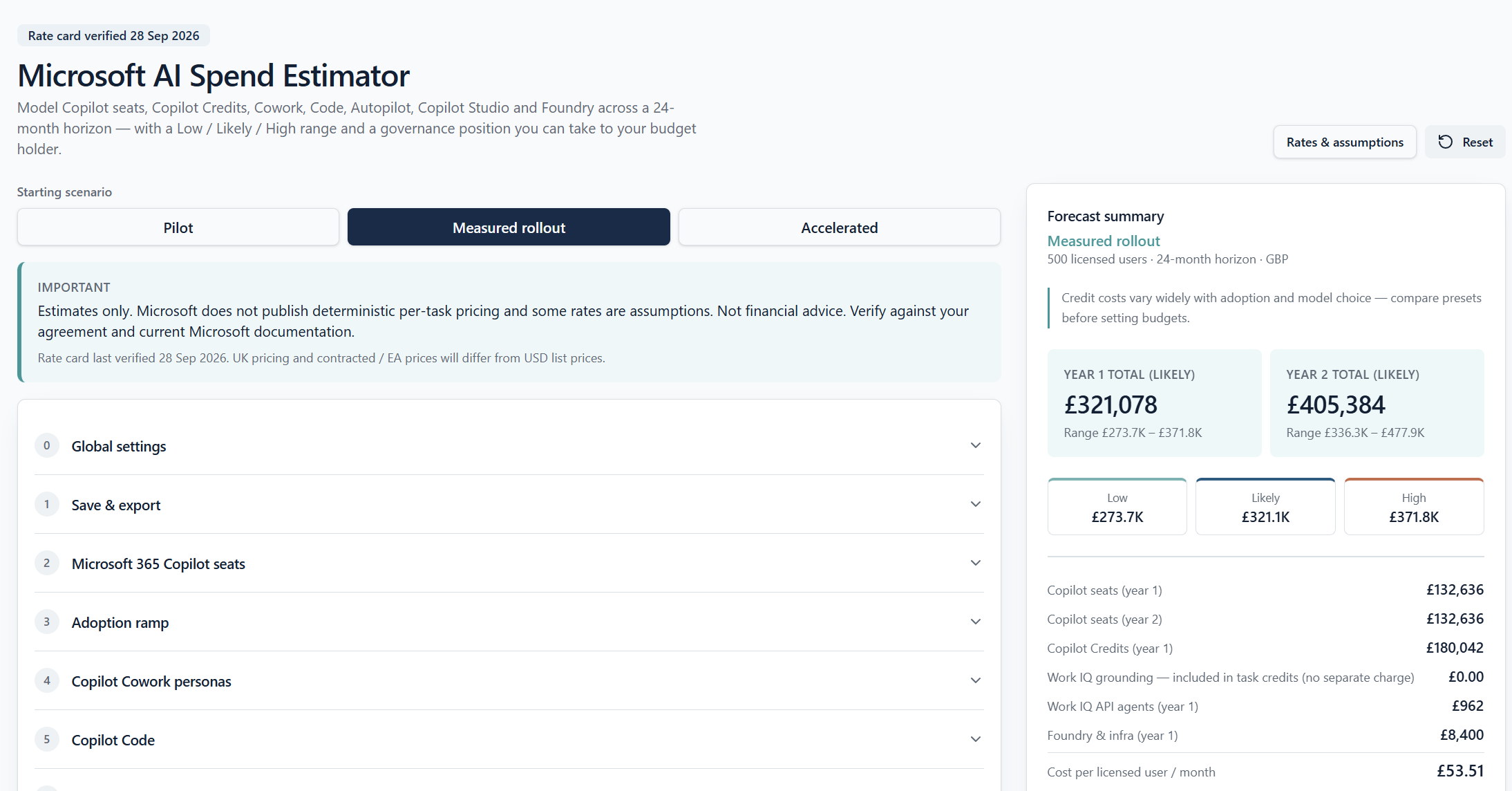
The AI Spend Estimator brings the fixed and variable sides of Microsoft AI spend into one forecast. You describe your organisation; it shows what the next 12 to 36 months could cost.
It models:
Copilot seats, with any discounts and an adoption ramp over time
Copilot Cowork, using light, medium and heavy user personas and Microsoft's published task ranges
Copilot Code and Autopilot, with building and running apps costed separately
Copilot Studio agents and Microsoft Foundry workloads (Pro)
Work IQ API usage by custom and third-party agents (Pro)
Every result is a range, not a single figure: Low, Likely and High. Microsoft doesn't publish a fixed price per task, so a single number would be false precision. A range gives finance a planning figure, and IT a ceiling to set spending caps against.
You can switch between £ GBP, $USD and other currencies, start with Pilot, Measured rollout or Aggressive presets, and see every rate the model uses. Each rate is marked as published by Microsoft, illustrative, or an assumption, with the date it was last checked.
Free and Pro
The core estimator is free. Register and you can save your scenario and come back to it as plans change.
Free | Pro | |
|---|---|---|
Copilot seats, Cowork, Code and Autopilot | Yes | Yes |
Low / Likely / High forecast and monthly chart | Yes | Yes |
Governance checklist and glossary | Yes | Yes |
Copilot Studio agents and Microsoft Foundry | Yes | |
Work IQ API for custom and third-party agents | Yes | |
Commitment comparison and recommended spending caps | Yes | |
Saved scenarios and exports | Yes |
Pro is aimed at organisations building their own agents, or weighing a pre-purchase commitment, where the numbers get more complex and the stakes higher.
Why I built it, and what it won't do
I spent 26 years at Microsoft, the last nine negotiating agreements from the inside. I know how a commitment looks when it's being shaped, and how the customer can value an independent view of their own numbers.
The estimator is built to give that view. It isn't tied to a reseller, isn't affiliated directly with Microsoft, and I take no commission on anything you buy from Microsoft.
It is also honest about its limits:
It is an estimate. Some rates, such as Autopilot's, haven't been published yet. Where the model makes an assumption, it says so.
It isn't your agreement. Your contracted prices, discounts and terms may differ from list pricing.
It won't tell you what to sign. The right commitment depends on your agreement, your plans and your position with Microsoft. That conversation needs more than a calculator.
Try it, then let's talk
Start with the AI Spend Estimator. Ten minutes with the Measured rollout preset will give you a first view of what your organisation could spend.
If the numbers raise questions, that's where I can help. Typical ones I hear:
How much should we commit to up front, and how much keep on pay-as-you-go?
Where should we set spending caps for each department?
How does this fit with our Enterprise Agreement or Azure commitment?
Is E7 worth it for us, and for whom?
Book a confidential briefing to go through your scenario in detail. It's independent, conflict-free, and focused on your position, not Microsoft's.